Made with Kawaii Pass
Make a fan club membership card with Kawaii Pass
Upload your images, pick your colors, and share a link.
That's all it takes to make a membership card your fans can add to Apple Wallet and Google Wallet.
· VirtualCross
What you can make
Kawaii Pass is a service for creators such as idols, VTubers, bands, and illustrators to make cards they hand out to their fans. Fans don't need an app or an account.
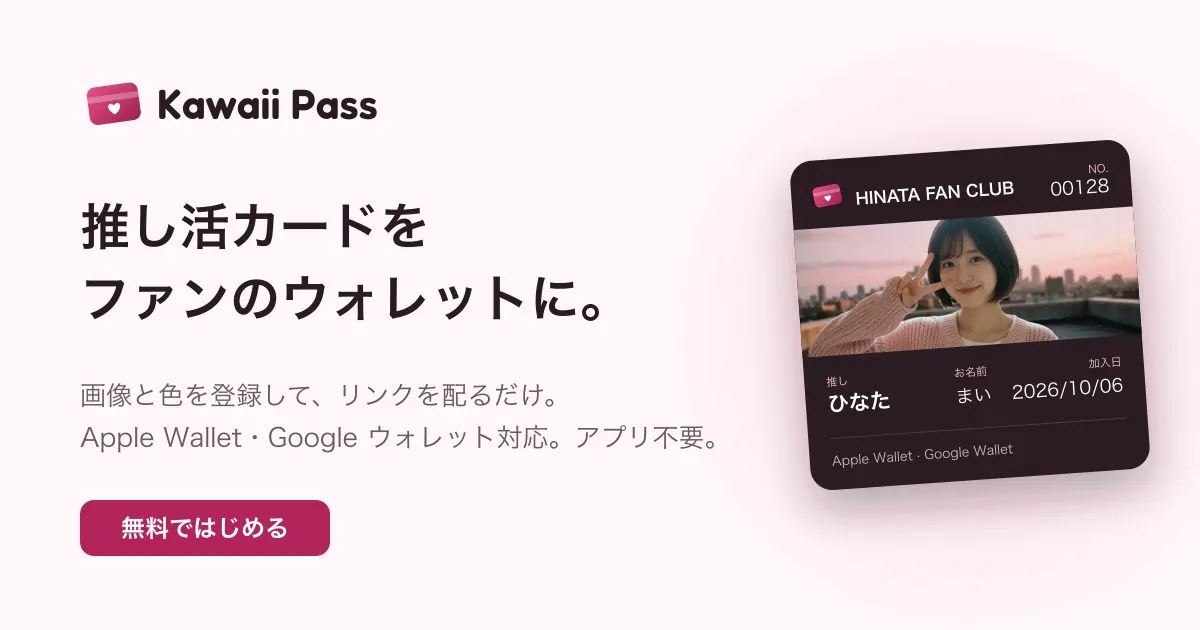
Fan club membership cards
A card with the member's name, member number, and join date.
Event admission passes
Add a QR code and check people in at the venue.
Exclusive member cards
A card only people with your invite link can get.
Three steps to make one
Sign in and choose a template
Sign in with your Apple or Google account. Choose the card layout: card, background, strip, or poster.
Add images, colors, and card fields
Upload your logo and an image of yourself or your character, then set the background and text colors. The front can show fields like "Name," "Member number," and "Join date." The back can hold your social links and announcements.
Share the link
Put the public link in your social media profile or a pinned post. At merch tables and events, just show the QR code. Fans open the link, enter their name, and tap "Add to Wallet." That's it.
After you hand them out
- Send announcements. Send live show announcements or details about perks to the cards you've handed out (Standard and up).
- Refresh the design. Change the images or colors, and every card already handed out updates too (Standard and up).
- Check people in at the venue. Scan the QR code on the card; a second scan on the same day shows "Already checked in" (Pro).
Choosing a plan
The creator pays a monthly fee. Fans get their cards for free.
| Free | Standard | Pro | |
|---|---|---|---|
| Monthly | ¥0 | ¥980 | ¥2,980 |
| Designs | 1 | 3 | Unlimited |
| Cards you can hand out | 10 | 1,000 | 10,000 |
| Invite links | — | ○ | ○ |
| Announcements and design updates | — | ○ | ○ |
| QR codes and check-in | — | — | ○ |
Details as of October 2026. Check the Kawaii Pass website for current pricing.
Start with the Free plan and try it with up to 10 cards.
Want to issue membership cards under your own name?
We can also build membership cards under your shop's or organization's brand, connected to your member data and bookings. We build them on the same system as Kawaii Pass.